

Documentation Index
Fetch the complete documentation index at: https://docs.taho.is/llms.txt
Use this file to discover all available pages before exploring further.
Installation
Get from zero to a running Pantry
The Pantry
Tour the UI and navigation
Writing Ingredients
Define previews for your widgets
Why terminal UI needs this
There’s no Storybook for the terminal. Web developers have had component-driven development tooling for a decade: isolated preview, interactive states, design system documentation. The ratatui ecosystem has widget libraries, but zero infrastructure for developing those widgets visually. We built TUI Pantry because we needed it, and the returns are different in the terminal than on the web. The feedback loop is slower. Web has hot module reload. Change a prop, see it in 200ms. TUI hascargo run. Change a constraint, wait for a compile, navigate to the right screen, squint at whether a border shifted by one cell. The Pantry doesn’t give you HMR, but it eliminates the “navigate to the right screen” tax. TUI is the densest UI medium there is, and that tax compounds fast.
Layout failures are silent. A web component that overflows its container scrolls or clips visibly. A ratatui widget that overflows its Rect just doesn’t render the overflow. No error, no warning. You discover it when a user resizes their terminal to 80x24 and half your UI disappears. Building widgets against explicit size constraints in isolation forces you to confront those edge cases before they’re buried inside nested layouts.
Reusable widgets need a way to be seen. Most ratatui developers build widgets inside their application and never publish them. It’s not that writing a reusable widget is hard. It’s that showing one is. A README with screenshots doesn’t let someone feel how a gauge behaves at different sizes, or whether a table handles their edge case. A crate that ships a pantry example changes that. Run cargo run --example pantry, browse every variant, and decide in thirty seconds whether this is the widget you need or one you’d rather write yourself.
The character cell problem
Design tools lie to TUI developers. Figma, Sketch, and every pixel-based design tool uses square pixels. Terminal cells are roughly 1:2, half as wide as they are tall. Layouts that look balanced in a mockup collapse or stretch in a real terminal. The Pantry puts the actual constraint surface in front of you: real character cells, real ratatui layout, real rendering. It even lets you cycle through color depths to see how your widgets degrade across terminal capabilities.How it works
You defineIngredient implementations alongside your widgets, gated behind a feature flag so they never compile into production. Each ingredient is one preview: a specific widget configuration with mock data. You declare your ingredients in pantry.toml, and cargo pantry launches the Pantry.
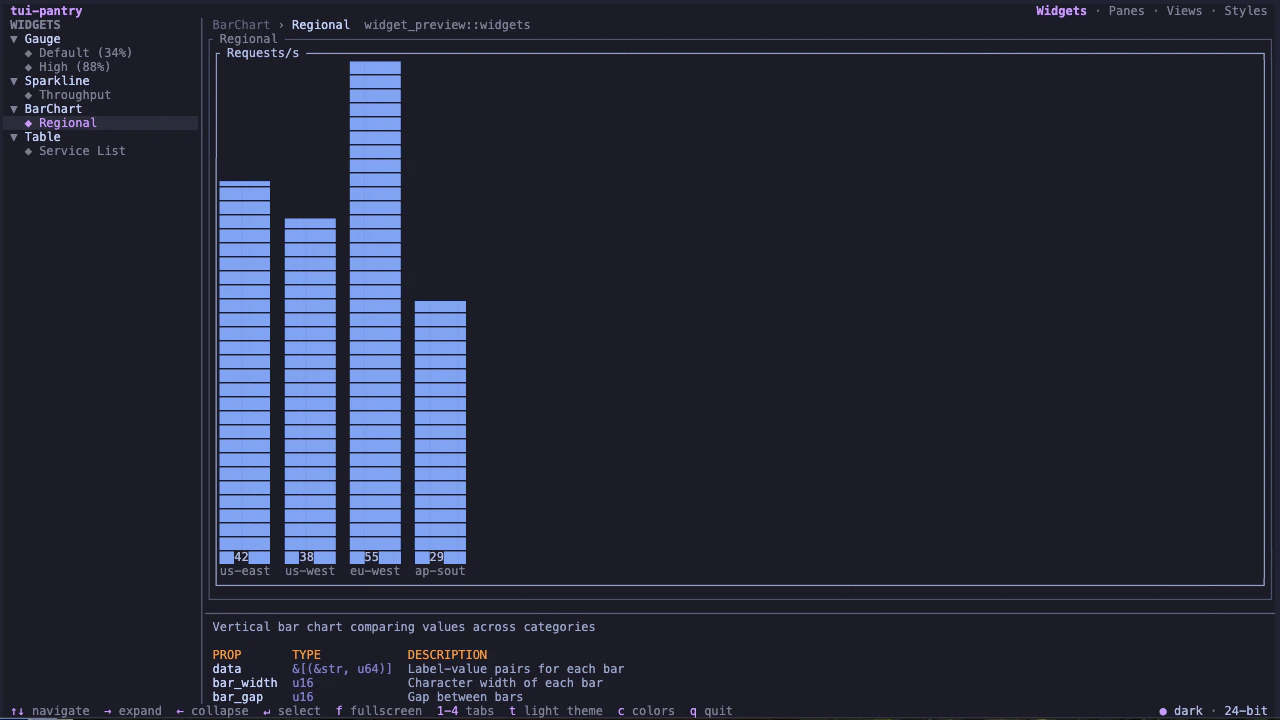
The Pantry renders a two-pane browser. Sidebar navigation on the left, live widget preview on the right. Four tabs organize your ingredients by scope: Widgets for atomic components, Panes for composed sections, Views for full-page layouts, and Styles for your color palette and typography.
Open source
TUI Pantry is open source under MIT/Apache-2.0.GitHub
Source, issues, and example pantry
crates.io
Rust package registry