

The Pantry is configured through a singleDocumentation Index
Fetch the complete documentation index at: https://docs.taho.is/llms.txt
Use this file to discover all available pages before exploring further.
pantry.toml file at your widget crate root.
Full example
[config]
| Key | Default | Description |
|---|---|---|
theme | "dark" | Chrome palette: "dark" (Catppuccin Mocha) or "light" (Catppuccin Latte). Toggle at runtime with t. |
style_source | none | Module path prefix for auto-generated Styles tab ingredients (e.g., "my_crate::styles"). |
[colors.*]
Each [colors.<family>] table becomes a group in the Styles tab. Two key formats are supported:
Named keys (snake_case) render as individual swatches with a colored block, display name, and hex value:
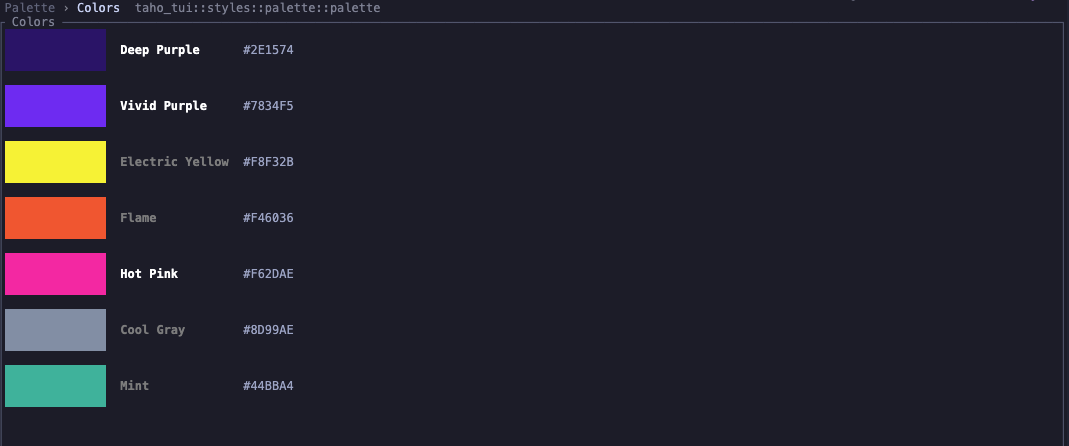

[typography]
Each key renders sample text in its specified color with the description alongside. Color values accept hex ("#FFFFFF") or named ratatui colors ("DarkGray").
style_source value from [config] sets the breadcrumb module path for these generated ingredients.
[ingredients]
Declares ingredient modules for compile-time discovery via the pantry_ingredients!() proc macro.
| Key | Description |
|---|---|
source | Crate name used as the module path prefix. |
modules | List of module paths. Each expands to {source}::{module}::ingredient::ingredients(). |
[ingredients] section is only needed when using the proc macro. For manual aggregation, omit it and pass ingredients directly to tui_pantry::run!(). See Writing Ingredients for details.